ADONIS
Business Transformation Suite
ADONIS 19.0
Process work, made personal.
ADONIS 19.0 LTS makes process work more personal, intelligent, and adaptable. With smarter AI support, richer dashboards, deeper process insights, and smoother guidance, ADONIS helps every user work faster and focus on what matters.
ADONIS 19.0 LTS makes process work more personal, intelligent, and adaptable. With smarter AI support, richer dashboards, deeper process insights, and smoother guidance, ADONIS helps every user work faster and focus on what matters.
Highlights

About this release
Great process work depends on clarity – knowing what to improve, where to focus, and how everything connects.
ADONIS 19.0 LTS brings that clarity closer to everyday work, with smarter support and
more relevant views that help users stay focused as process landscapes evolve.

Clearer text with less effort
Clearer text with less effort
AI Assistant: Text Refinement
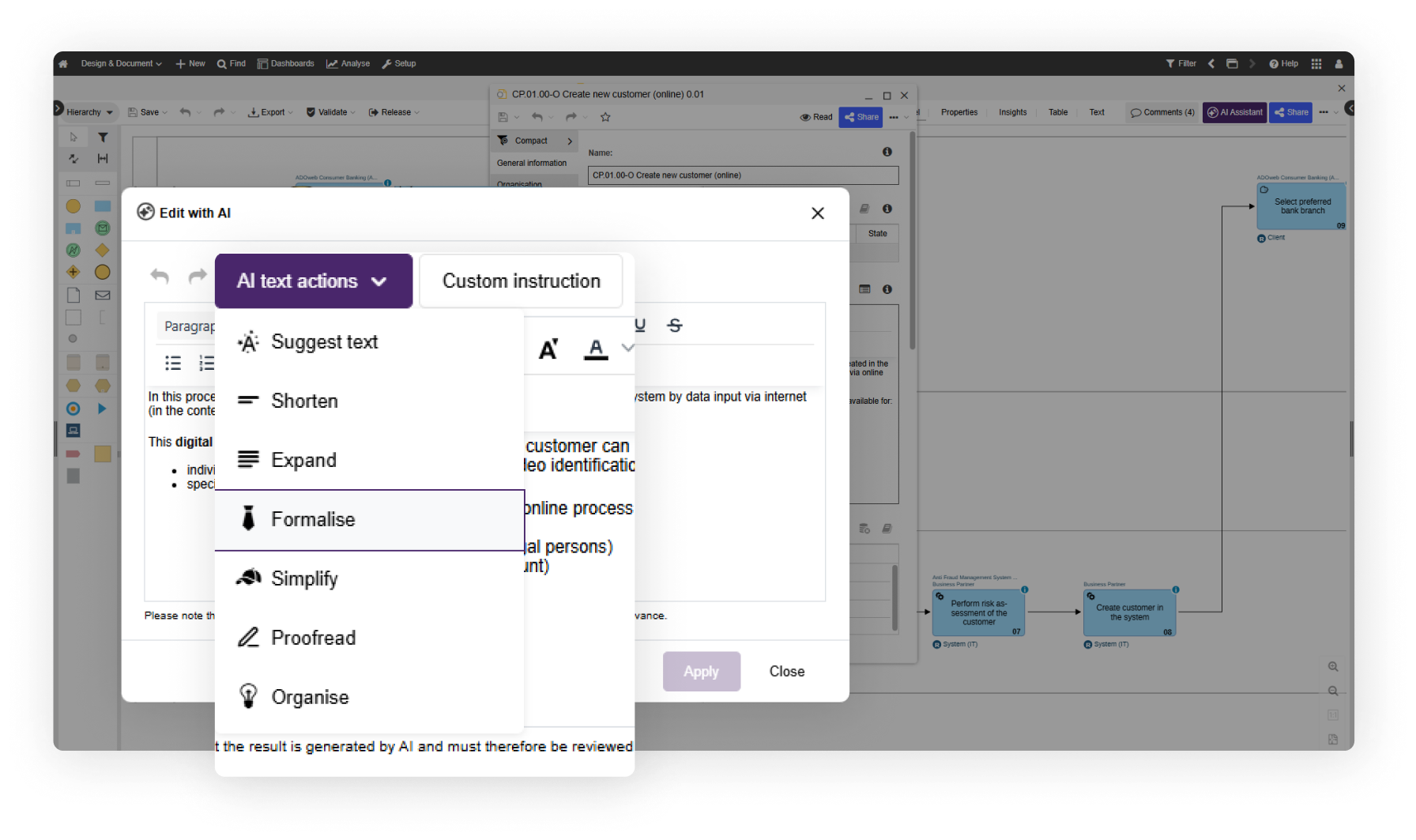
Process documentation depends on the right wording, tone, and level of detail. With AI-supported text refinement directly in ADONIS properties, you can improve descriptions, notes, and documentation faster – right where the content is maintained.
Clearer text with less effort
Clearer text with less effort
AI Assistant: Text Refinement
Process documentation depends on the right wording, tone, and level of detail. With AI-supported text refinement directly in ADONIS properties, you can improve descriptions, notes, and documentation faster – right where the content is maintained.
A better first draft to build on
A better first draft to build on
AI Assistant: Improved Process Generation
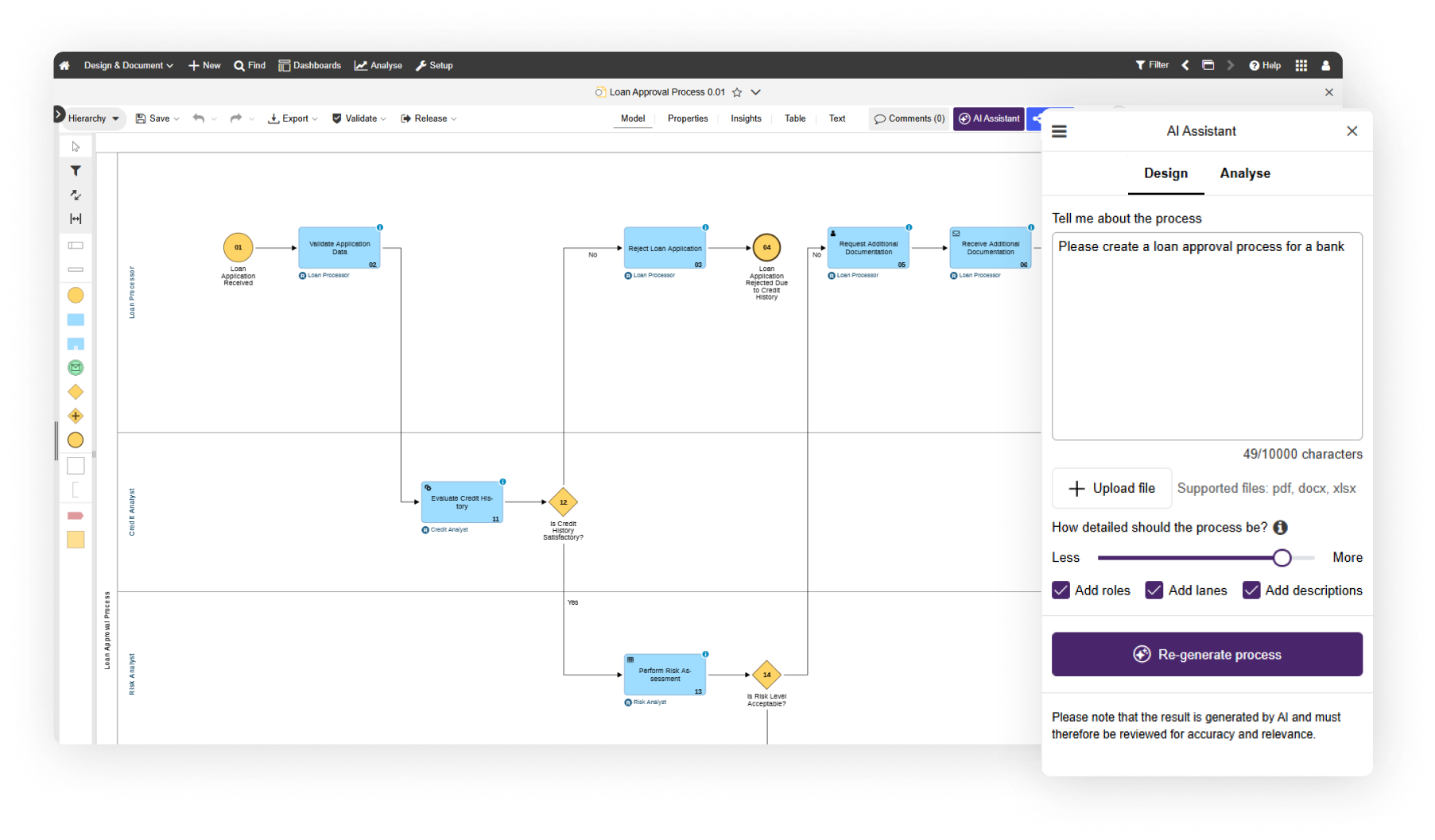
AI-generated processes now come with Lanes and automatic object numbering. That means clearer responsibilities, easier reviews, and less cleanup – so teams can move faster from first draft to usable model.
Your workspace,
your priorities
Your workspace,
your priorities
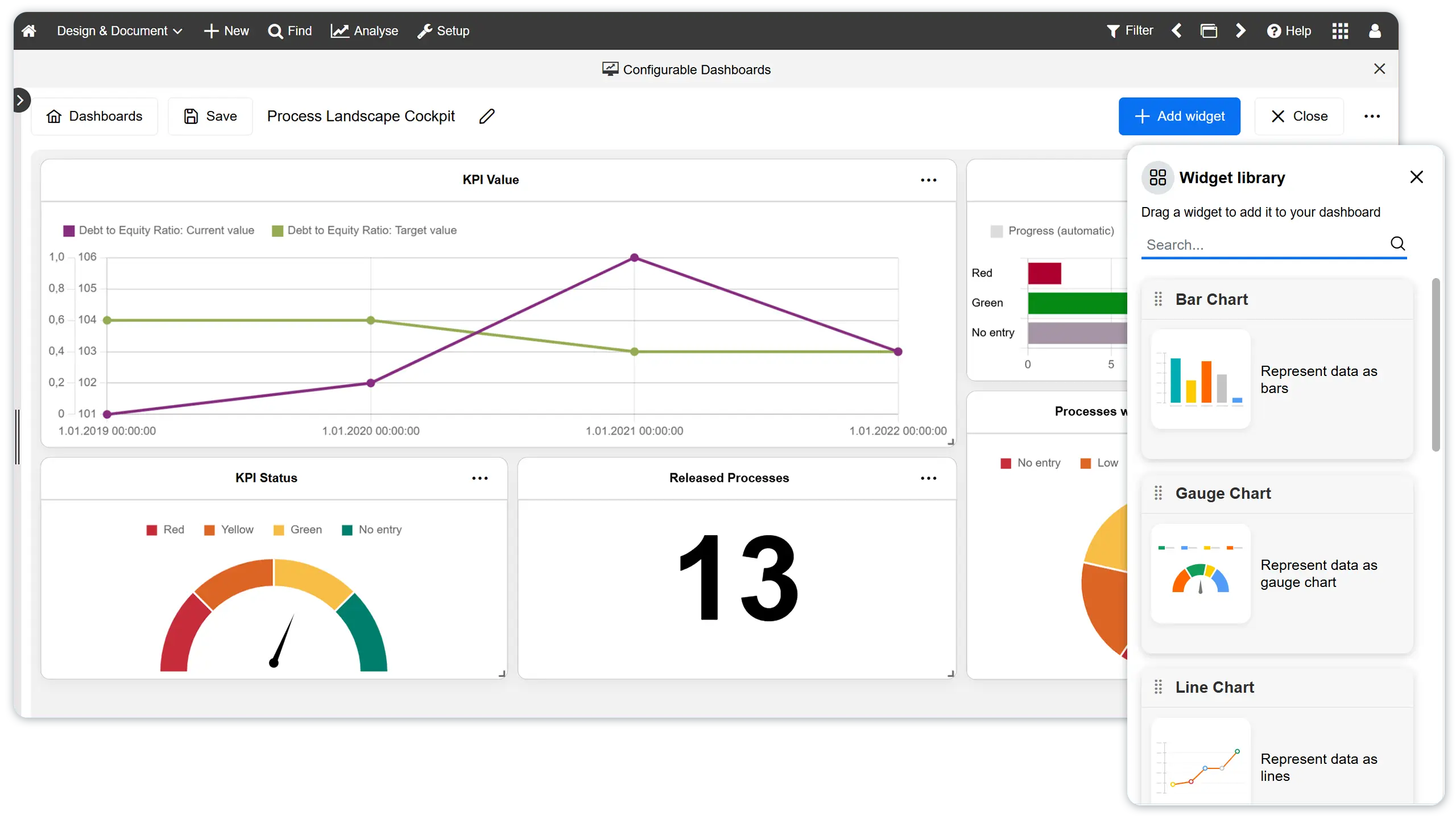
Configurable Dashboards
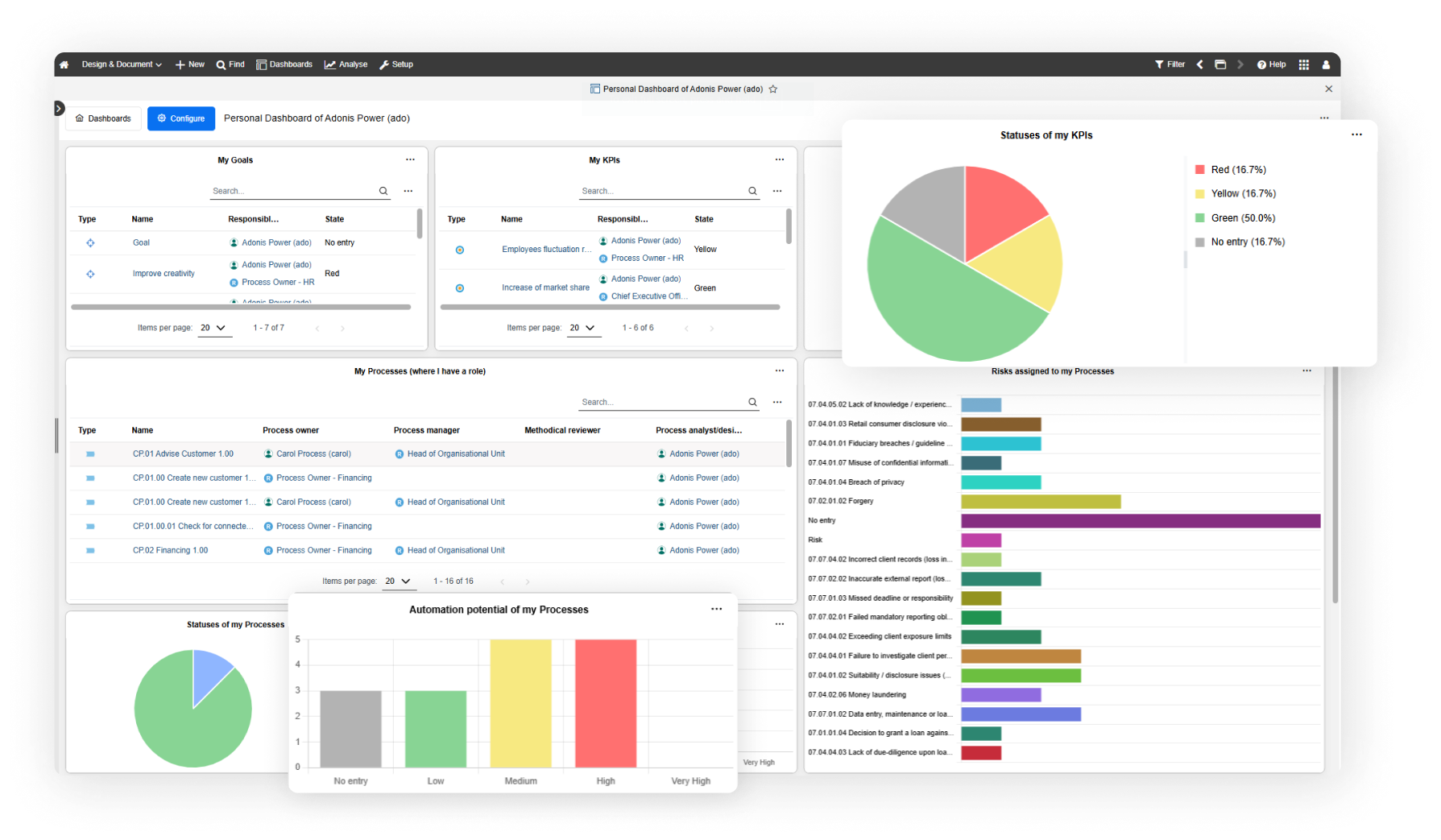
Configurable dashboards now go beyond visual reporting. With new widgets for processes, assets, KPIs, and updates, ADONIS helps every user turn their dashboard into a focused workspace built around what matters to them.
See the full picture
See the full picture
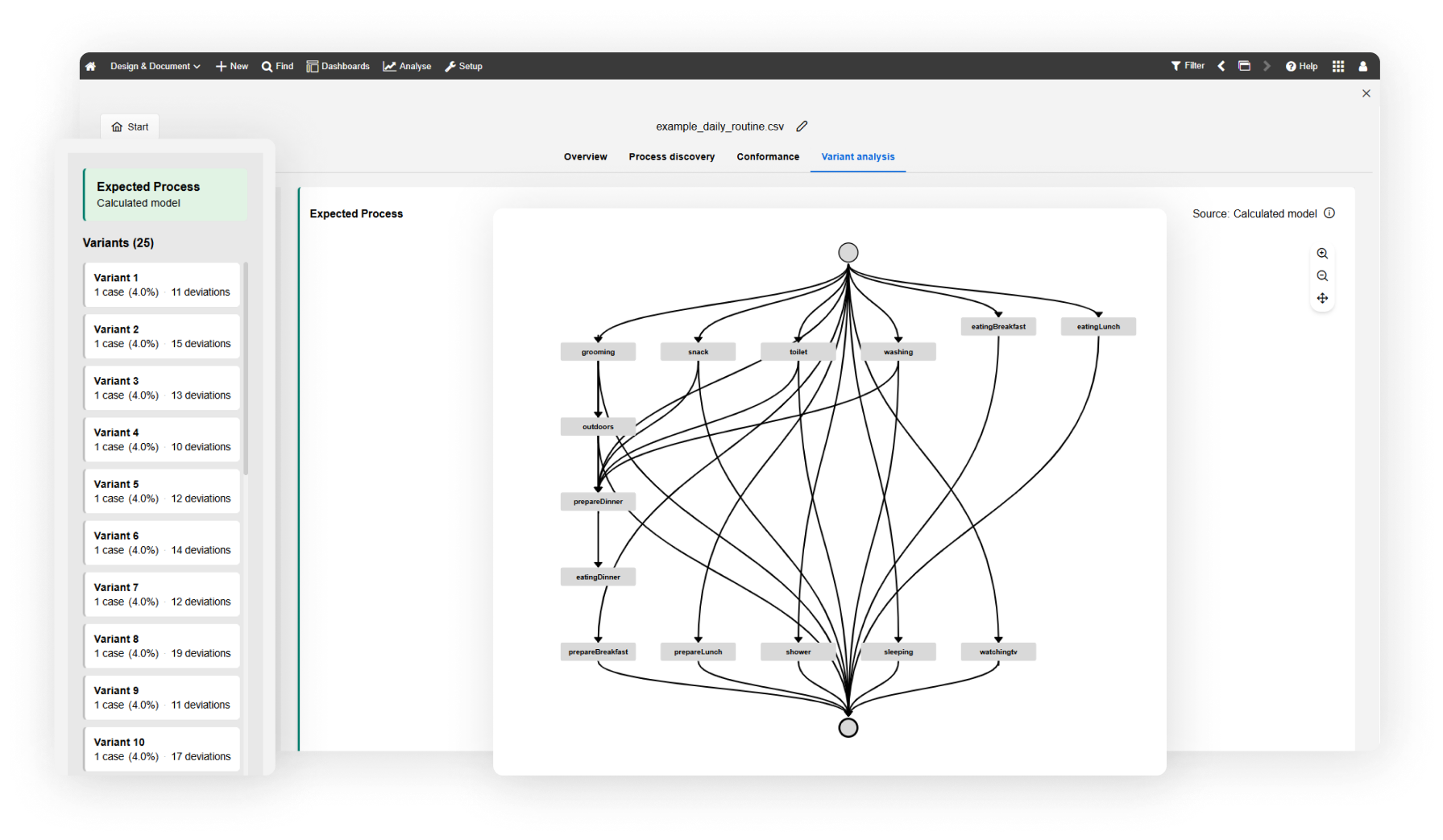
PME: Variant Analysis
Processes rarely follow one perfect line. Variant Analysis shows the different paths work actually takes, helping you spot common routes, uncover deviations, and identify improvement potential based on real execution data.
Your LTS journey to ADONIS 19.0
Coming from our previous LTS?
Your upgrade to ADONIS 19.0 LTS also includes the key innovations from ADONIS 17.0 and 18.0.
Explore key highlights now part of your LTS upgrade path →
Dashboards that bring focus
Dashboards that bring focus
Configurable Dashboards
Combine charts, KPIs, updates, and process information in one place, so users can start from what matters instead of searching for it.
Process mining with real proof
Process mining with real proof
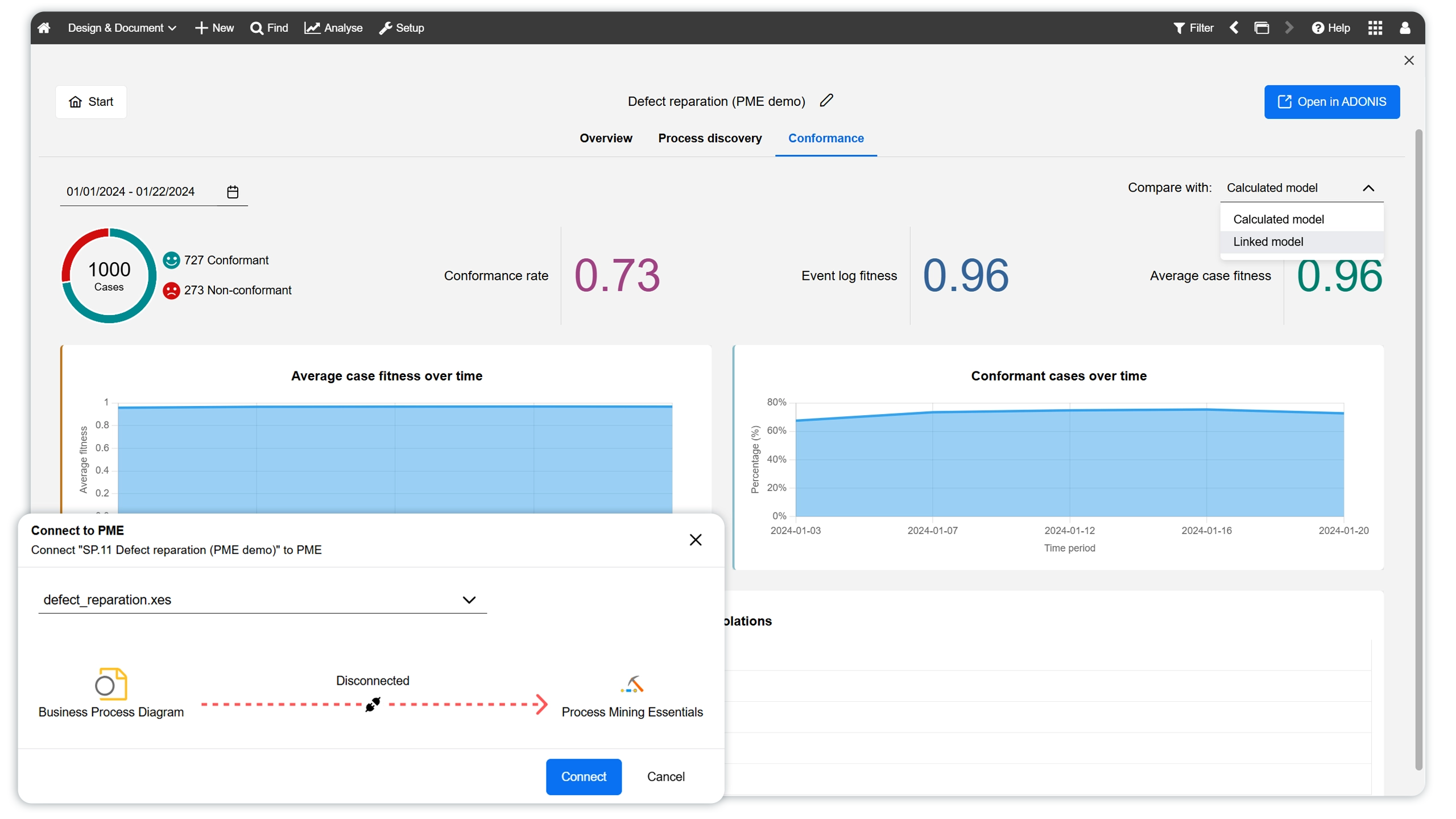
PME: Conformance Checking Updates
Use execution data to compare design with reality, uncover deviations, and make improvement decisions with more confidence.