
Learn how to structure, analyze, and optimize your application landscape using ADOIT and ArchiMate to improve transparency, reduce costs, and support strategic IT decisions.
Business need
Application Portfolio Management
Cost reduction
IT rationalization
Categories
ADOIT
Self-Paced E-Learning
Requirements
 Basic knowledge of ArchiMate is of advantage.
Key Course Benefits
Application Portfolio Management with ADOIT and ArchiMate
Gain transparency, reduce complexity, and drive smarter IT decisions
Costs
Free E-Learning
Supported Languages
English
French
Spanish
Learning objectives
Understand the fundamentals of Application Portfolio Management (APM)
Model application landscapes using ArchiMate in ADOIT
Identify redundancies, risks, and optimization opportunities
Analyze application lifecycles and dependencies
What you get
1-2 Hours Learning Time
4 Weeks Full Access
Case Studies and Exercises
Course Certificate
Targeted at
Enterprise Architects
IT managers & CIO office teams
Application managers
Digital transformation professionals
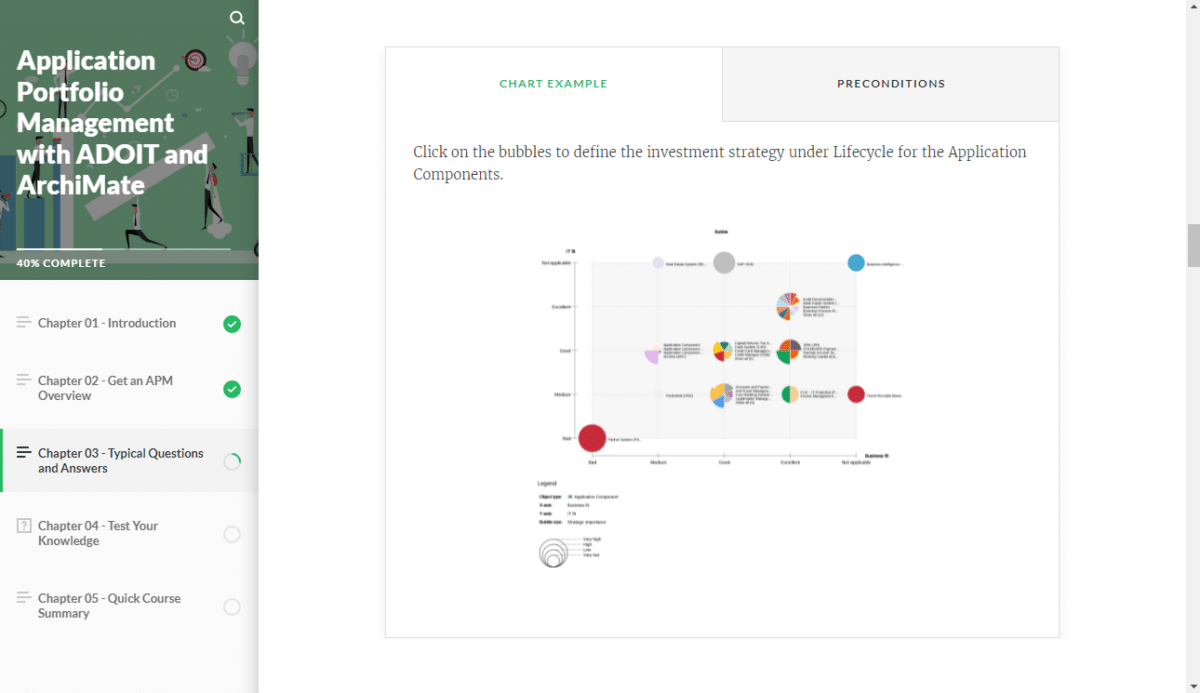
Introduction to Application Portfolio Management
Understand the role of APM in enterprise architecture and how it supports transparency, governance, and strategic decision-making.
Modeling Applications with ArchiMate in ADOIT
Learn how to create structured application landscapes, define relationships, and build a consistent architecture repository.
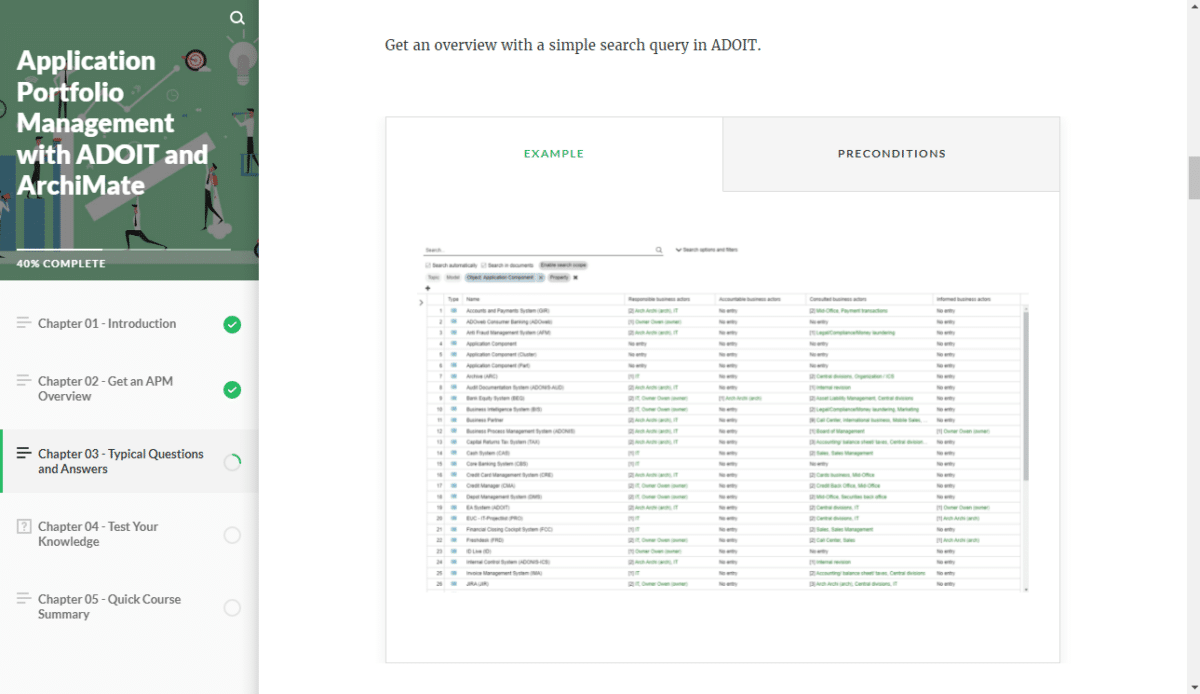
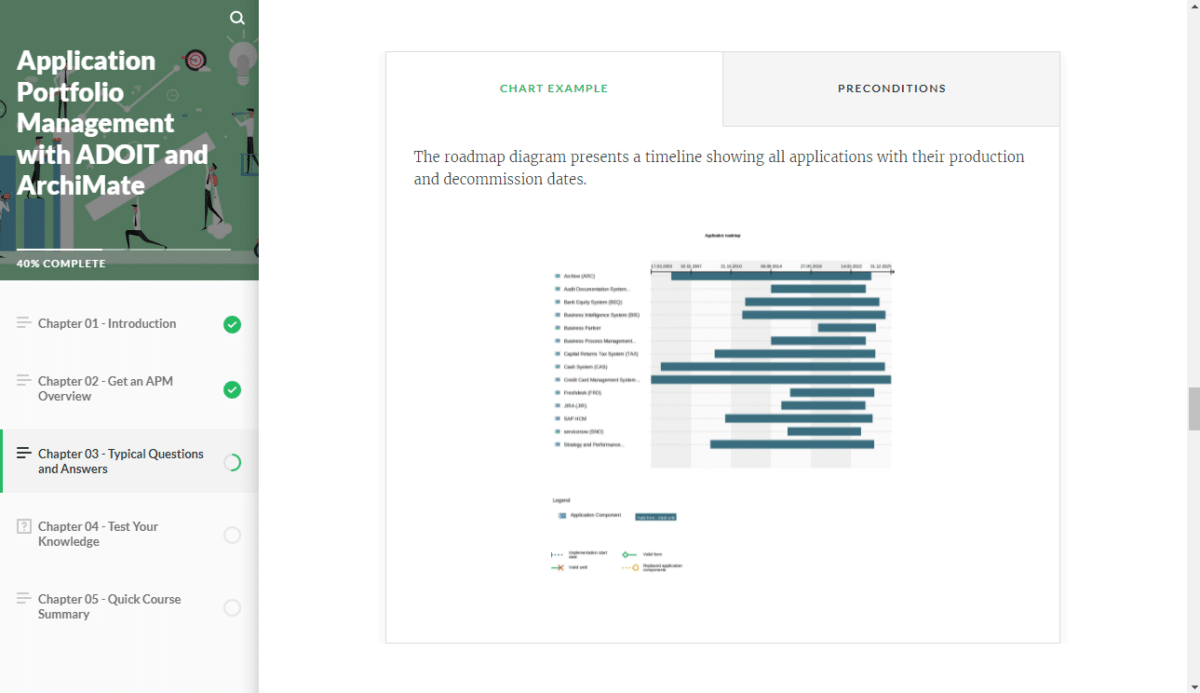
Analysis & Optimization of Application Landscapes
Discover how to evaluate applications, identify redundancies, assess risks, and derive actionable insights for optimization.
And beyond that?
Structured, Time-Efficient Lessons
Learn all essentials in a concise, user-friendly format.
Engaging, Interactive Exercises
Reinforce learning with practical exercises and real-life scenarios.
Tailored for All Skill Levels
Learn from scratch – no prior EA knowledge needed. Perfect for beginners, with optional deeper dives for advanced users.

New to ADOIT? Get the free Community Edition and start learning today!
Frequently Asked Questions (FAQ)
For personal, single user access, click on the button “Access free training” below and register on the e-Learning platform for free. For corporate access, including progress monitoring, custom content and more, please get in touch with us.
This e-learning is intended for:
- Enterprise architects looking to get started or advance their EA practice, using APM as the foundation
- Application owners responsible for maintaining EA documentation on their applications
- Business managers needing to understand how APM can support them in the daily business challenges
The training is designed in such a way that it works for all levels of ADOIT users. Since ArchiMate is used as the modeling language in this training, a basic knowledge of ArchiMate is recommended.
This e-learning is broken up into theory and tests. You’ll learn about the subject matter by taking quizzes to anchor your knowledge. Also, find how-to videos, a webinar as well as further useful materials like handouts.
This e-learning is broken up into theory and tests. You’ll learn about the subject matter by taking quizzes to anchor your knowledge. Also, find how-to videos, a webinar as well as further useful materials like handouts.
Not necessarily. The training can also be completed without access to ADOIT. However, it is recommended to register for the freely accessible Community Edition of ADOIT in order to try out the training content directly inside the tool. Click here to sign up right now.
Master APM and Stay Ahead of Challenging Business Requirements
Get unlimited access to the entire training for free.
Step 1: Go to adoit.learn.boc-group.com
Step 2: Create an account using the “Sign up” link. Confirm and verify your email to activate access. Or if you already have an account, sign in with your username and password.
Step 3: Access “Course Catalogue” to find your e-learning courses. Get started right away.